
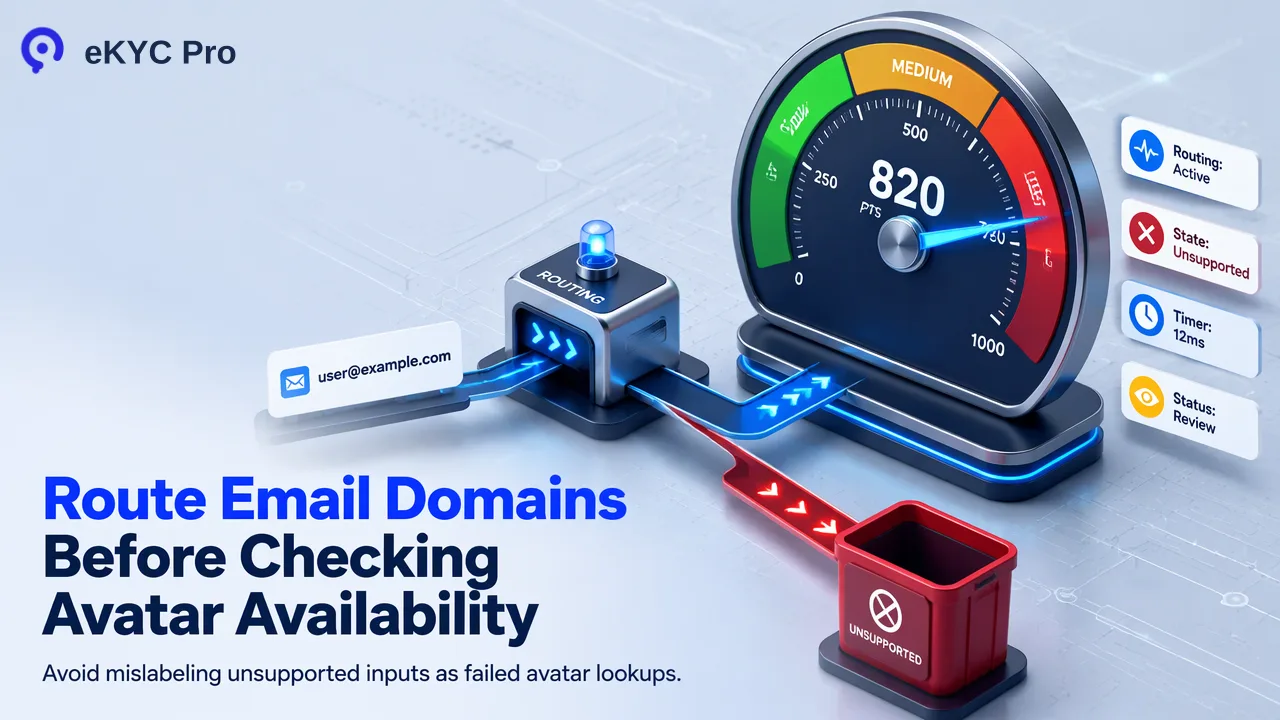
An email avatar check returns an unsupported-domain outcome when the submitted address is outside the providers covered by the selected public-avatar service. Before calling that service, classify the address by domain and route only eligible Gmail, Yandex, or Mail.ru addresses to the unified email-avatar check. Treat an unsupported input as a service-selection issue, not as evidence that the address lacks a public avatar or mailbox.
What an email avatar check unsupported domain outcome tells you
The first question is whether the selected service can evaluate that address at all. eKYC Pro documents the unified email-avatar check for Gmail, Yandex, and Mail.ru. Its output concerns the availability of a public avatar associated with the submitted email identifier. An address at an unrelated provider or a company-owned domain does not become eligible merely because its mailbox forwards to Gmail or because a person uses a Google account with that address. The submitted domain is the routing input; do not infer hidden account relationships from it.
An unsupported-domain outcome belongs in an input or service-selection category in the application’s records. A completed eligible check with no public avatar belongs in a different category. Keeping these categories separate prevents a dashboard from displaying unsupported addresses as negative avatar results. It also prevents a reviewer from treating every blank avatar field as a failed check. The email check tool shows the distinction between mailbox checks and public-avatar signals for supported provider families.
This matters when a form accepts arbitrary email domains. A single routing rule that sends every address to the same avatar service creates avoidable errors, especially for business domains, Outlook, Yahoo, and iCloud. The correct first step is to ask which signal the review flow needs and whether the submitted provider is supported for that signal.
Build a provider-domain routing table before the request
Make the routing decision in application code before submitting one email identifier. Use an explicit allowlist drawn from the current product documentation. Classify the domain after basic address parsing and case normalization, while preserving the original submitted address for the review record. A malformed address should be handled as input validation, not as an avatar result. For domains with aliases, confirm the supported set in current documentation rather than guessing from spelling or a mail exchanger.
| Submitted address category | Avatar route | Reviewer interpretation |
|---|---|---|
| Gmail domain | Eligible public-avatar route | A completed check may report avatar availability |
| Documented Yandex domain | Eligible public-avatar route | Interpret only the public-avatar signal |
| Mail.ru domain | Eligible public-avatar route | Interpret only the public-avatar signal |
| Outlook, Hotmail, Yahoo, or iCloud | Different documented email-check question | Mailbox existence is distinct from avatar availability |
| Custom or other domain | No documented unified avatar route | Mark service selection unsupported or choose another independently supported check |
The table is an application routing design, not a claim that eKYC Pro returns these categories or provides a domain-discovery endpoint. Review the API documentation when maintaining an allowlist. Avoid a broad rule such as allowing every domain whose name contains a provider’s brand; a company domain like example-gmail-support.com is still a separate domain. If your application cannot confidently classify an address, hold the avatar request and record why. That is more useful than submitting a request that cannot answer the intended question.
Separate unsupported input from a completed no-avatar result
An eligible address can have no publicly available avatar. That outcome describes one observable profile signal and does not establish whether the mailbox exists, whether its owner controls it, or whether the person signing up is genuine. An unsupported address was not evaluated under the intended avatar route. A timeout or indeterminate service check is a third operational state. Each state needs its own application label and follow-up action.
A practical review record can keep the submitted domain category, selected service, check time, completion state, signal type, and reviewer decision in distinct fields. Those are fields in your own application design; they are not promises about a provider response schema. If the selected service was ineligible, the useful next action is to revisit service selection. If it was eligible and completed without an avatar, the useful next action is to apply the team’s ordinary evidence policy. If it did not complete, use the team’s retry or manual-review policy rather than converting uncertainty into a negative signal.
For example, an address at a custom company domain might be perfectly deliverable, yet it sits outside the documented unified avatar provider group. Recording ‘unsupported for this avatar service’ conveys that limitation accurately. Recording ‘no avatar’ would claim an observation the service did not make. The distinction also improves audits: operations staff can count routing mistakes separately from completed checks without overstating the number of people who lack profile photos.
Choose the right email question for each provider family
Avatar availability and mailbox existence answer different questions. The email checks page documents mailbox-existence checks for Outlook or Hotmail, Yahoo, and iCloud, while Gmail, Yandex, and Mail.ru checks concern public-avatar availability. A team should name the desired signal before choosing a service. Do not translate a successful mailbox check into proof of account ownership or a completed avatar check into proof of mailbox existence.
Suppose a signup form receives both a Gmail address and an Outlook address. The application can route the Gmail address to an eligible public-avatar question and the Outlook address to its documented mailbox-existence question, if those checks serve the team’s purpose. It should store the result type alongside each outcome so a downstream rule does not compare unlike signals as though they were equivalent. A reviewer can then see what was actually checked rather than a generic ‘email verified’ badge that hides the evidence type.
For custom domains, the current unified avatar coverage does not authorize an avatar claim. Teams may rely on other evidence they already collect or select a separately documented service that answers their specific question. Avoid guessing that a domain’s mail hosting provider makes it an eligible consumer-provider address. That shortcut can lead to repeated unsupported requests and misleading negative labels.
Troubleshoot the route without inventing an API diagnosis
When a check fails to provide the intended signal, start with the submitted address and selected service. Verify that the address was parsed as one email identifier, that its domain was normalized consistently, and that the current allowlist contains only documented domains. Then confirm that the service selected by the application matches the intended evidence type. This sequence catches common integration mistakes before a team changes its decision rules.
Next, compare three records: the original submitted address, the application’s routing category, and the final operational outcome. If a supported provider was classified as other, correct the local rule after checking current documentation. If an unsupported custom domain was sent to the avatar route, change service selection rather than treating the response as a negative avatar observation. If an eligible request was indeterminate, investigate it under the usual operational path; do not claim the domain itself caused a provider failure without evidence.
Keep examples clearly hypothetical. Consider a form value of [email protected]: the domain is outside the documented Gmail, Yandex, and Mail.ru avatar group, so an application should not request that unified avatar signal. By contrast, a Gmail address belongs to an eligible group, but an eventual no-avatar result still says nothing definitive about mailbox existence. These two paths should produce different internal labels and different instructions for reviewers.
Make the next review step explicit
A routing decision is useful only if the rest of the workflow preserves its meaning. Define an application policy for unsupported inputs, completed avatar results, and unresolved checks. For an unsupported address, a reviewer may choose a different documented email signal or use existing manual evidence. For a completed no-avatar result, the reviewer may continue using other relevant signals without treating the address as nonexistent. For an unresolved check, the workflow may defer that one signal under its own retry policy. These are customer choices, not automatic decisions made by eKYC Pro.
Expose the selected evidence type in the review interface. A label such as ‘public avatar unavailable’ is narrower and clearer than ‘email invalid.’ Keep the check time visible when it matters to the team’s policy, and preserve the submitted identifier category so a later reviewer can explain why a service was selected. Finally, periodically compare the allowlist with current documentation. Provider coverage can change, but a local application should not silently expand its rules based on assumptions or old article text. The Per-call API overview is the starting point for selecting a single-identifier service in an inline review flow.
FAQ
How can teams distinguish an unsupported domain from no public avatar?
An unsupported domain means the selected avatar service was not eligible for that submitted provider. No public avatar is a possible outcome of a completed check for an eligible address. Keep separate application states for those cases, and do not infer mailbox existence from either one.
Which email providers are covered by the unified public-avatar check?
The current eKYC Pro product facts identify Gmail, Yandex, and Mail.ru. Teams should confirm the current documented domains before maintaining their local allowlist rather than assuming every related or custom domain is covered.
How should teams route an Outlook or Yahoo address?
First decide whether mailbox existence is the needed signal. The documented Email Check distinguishes mailbox existence for Outlook or Hotmail, Yahoo, and iCloud from public-avatar availability for Gmail, Yandex, and Mail.ru. Do not label the two result types as the same evidence.
Can a missing avatar show that a mailbox does not exist?
No. For the documented public-avatar providers, a missing public avatar does not establish whether the mailbox exists. Reviewers should use the narrow signal label and apply their own policy using other evidence where appropriate.
Get Started with eKYC Pro
Explore eKYC Pro’s single-identifier APIs and choose the service-specific, combined-signal, or unified-score workflow that fits your use case.